💡 ToolFK keeps many tools free to use. Ads help cover hosting and service costs. If this tool saved you time, sharing it with someone who needs it helps us keep it available. ToolFK offers free tools. Share if helpful. Buy me a coffee →

Local-first passport photo tool

Passport & ID Photo Maker

Create a passport, visa or ID photo with exact physical dimensions, an adjustable crop guide and a print-ready sheet. Your original image stays in this browser tab while you work.

No signup Exact mm / px output Browser-local editing
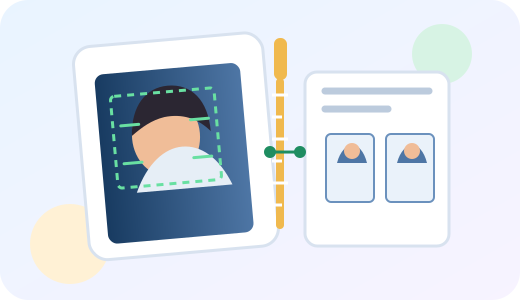
Illustration of a passport photo crop guide, ruler and print sheet
Private by default. The editor uses your browser’s Canvas API. No photo-processing iframe or third-party image endpoint is used by this page.
1 Choose size2 Adjust crop3 Export & print

Live preview

US passport photo

Local
Your preview appears hereUpload a portrait to start the local editor.
No image loaded · select a document preset to see its exact output.

JPEG output is rendered to the selected pixel dimensions. For print, create a sheet below and print at 100% scale.

Review before submitting

Practical compliance checklist

Waiting for a photo

Select a clear portrait to generate the checklist.

View the official source for this preset ↗
04

Print at home or locally

Create a multi-photo print sheet

Upload a photo to preview the print layout.

Print note: In the print dialog choose 100% / Actual size and disable “Fit to page”. Measure one printed photo if the application has a strict physical-size requirement.

05

Pixel size helper

Convert passport photo size to pixels

Use this quick calculator when an application asks for a custom width, height or DPI. It gives you a starting pixel canvas; always follow the portal’s own file-size and resolution limits.

Passport photo maker for exact size, crop and print review

When someone searches for a passport photo maker online, they usually need a file for a specific application rather than a generic portrait crop. The important details are physical size, pixel dimensions, background, head position, expression and the way the file will be printed or uploaded. This page brings those decisions into one reviewable workflow: choose the country or document, load a clear photo, adjust the crop against a visible guide, export a pixel-specific JPEG and create a sheet for local printing.

The editor is deliberately local-first. The selected image is decoded in the browser, drawn to a canvas and exported from the same tab. That gives you a clear privacy boundary and avoids sending an identity photo to a remote processing service. It also means the tool does not pretend to perform a cloud face scan, background replacement or human approval. Use the guide as an editing aid, then inspect the finished image yourself. For an official identity document, a simple, accurate workflow is more useful than an impressive effect that changes your appearance.

The country presets cover common searches such as US passport photo, US visa photo, Canada passport photo, France visa photo, Italy visa photo and Schengen visa photo. Canada uses a wider 50 × 70 mm portrait format, while many European visa workflows use 35 × 45 mm. The United States commonly uses a square 2 × 2 inch image. Those differences affect the crop ratio and the amount of space around the head, so switching the preset before exporting matters.

How to take a better passport photo at home

Stand in front of a plain, evenly lit background and place the camera at eye level. Keep the face forward, eyes open and expression neutral. Avoid harsh side light, deep shadows, hats and glare on glasses. Use the rear camera when another person can help, or prop the phone securely rather than holding it at an angle. Start with a high-resolution original, then use the crop controls to position the face. Do not stretch the image, apply a beauty filter, smooth skin or add generated clothing. If the background is busy or the image has strong shadows, taking a new photo is usually safer than trying to repair it.

Digital file and print sheet checks

For an online application, check the exact pixel dimensions, file format and any kilobyte limit shown by the portal. For a physical application, create a print sheet on 4 × 6 inch photo paper, A4 or Letter and print at actual size. A browser preview can look correct while a printer driver silently scales it, so measure one copy after printing if the requirement is strict. The tool displays the selected dimensions, but the issuing authority remains the final decision-maker.

Country-specific passport and visa photo sizes

Use the source link in the editor for the selected preset. Requirements can vary by document type, country of application and submission channel.

Baby passport photo tips for a calmer setup

For a baby passport photo, use the US baby preset as a 2 × 2 inch starting canvas, place the baby on a plain light background and have an adult keep the camera level. Keep hands, toys, blankets and support objects outside the final crop. The editor can help with size and framing, but it does not detect facial landmarks or certify that an infant meets an authority’s current rules.

Passport photo mistakes that cause rework

  • ×Using the wrong ratio, such as a square crop for a 35 × 45 mm visa form.
  • ×Printing with “fit to page”, which changes the physical dimensions.
  • ×Submitting a photo with a tilted head, strong shadow, glare or a busy background.
  • ×Applying beauty filters, face reshaping or AI-generated edits to an official photo.
  • ×Assuming a size preset is a guarantee without checking the issuing authority.

Passport photo maker FAQ

Does this passport photo maker upload my photo?

No. The editor reads the selected file in your browser and renders the preview with Canvas. This page does not send the photo to an image-processing service. Clear your browser tab when you finish and review the destination authority requirements before submitting.

Which passport and visa photo sizes are supported?

The built-in presets cover US passport and visa photos at 2 × 2 inches, Canada passport photos at 50 × 70 mm, France and Italy visa photos at 35 × 45 mm, the common Schengen 35 × 45 mm format, UK digital passport photos, China passport photos at 33 × 48 mm, and an India 35 × 45 mm starting preset. Always confirm the current instructions for your application.

Can I make a Canada passport photo online?

Yes. Choose Canada passport photo, upload a clear portrait, use the crop guide, and export the exact 50 × 70 mm canvas. The tool also shows the physical size and pixel dimensions used for the export so you can check the result before printing.

What is the France or Italy visa photo size?

The starter presets use 35 × 45 mm for France visa and Italy mission visa workflows. Because missions and application channels can publish additional requirements, the page includes a source link and a manual-review note rather than promising acceptance.

Can I print multiple passport photos on one sheet?

Yes. After loading a photo, select 4 × 6 in, A4 or Letter, choose the number of copies, and create a print sheet. Use the browser print dialog at 100% scale and turn off “fit to page” if you need the physical dimensions to stay exact.

Does the tool guarantee that an authority will accept my photo?

No. It produces a correctly sized file and a practical review checklist, but final acceptance is controlled by the issuing authority, application portal, photo date, image quality and your complete application. Do not use filters, face retouching or generated clothing for official identity documents.

Can I use a phone photo for a passport picture?

Usually, if the image is recent, sharp, evenly lit, front-facing and free from distracting shadows. Use a plain background, keep a neutral expression, remove glare from glasses when the authority requires it, and check the final crop at 100% before downloading.

Why is background replacement not enabled here?

A flat color painted behind a person is not the same as a reliable subject mask. This local version avoids claiming that a rough cutout is compliant. For a formal submission, use a properly lit plain background or a separately verified segmentation workflow, then review hair edges, shadows and the official rule for the selected document.

Important: This is an independent photo editing and sizing tool. It is not affiliated with any government, embassy, consulate or passport office. Presets are provided as practical starting points and linked to official guidance where available; requirements can change, and final acceptance is determined by the issuing authority.