
Nano Banana Icon Batch Generation
A prompt demonstrating Nano Banana's ability to quickly generate a large batch of icons (40 icons in 15 minutes) in a single request, highlighting its efficiency for asset creation.
A prompt demonstrating Nano Banana's ability to quickly generate a large batch of icons (40 icons in 15 minutes) in a single request, highlighting its efficiency for asset creation.

A prompt designed to generate non-photorealistic, high-energy comic book art. It specifies bold outlines, vibrant colors, dramatic action, and explicitly excludes photos or realism, aiming for a pure, print-ready comic style.

A simplified version of the meta-prompt template for Nano Banana Pro, designed to generate a multi-panel infographic grid for visual comparison of bare legs versus different stockings, with the text overlay feature disabled (NO). It maintains strict consi

A highly detailed, structured prompt designed to generate a hyper-realistic image of a MacBook screen. The prompt specifies complex visual hierarchy, including screen imperfections (moire, dust, smudges), app layouts (Photo Booth dominant, Safari secondar

A highly detailed prompt designed for Nano Banana Pro to generate a 3x3 grid collage photo based on an uploaded character image. The prompt specifies nine independent, high-fashion, internet-trendy scenes, each detailing a specific outfit (streetwear, nig

A detailed prompt for Nano Banana Pro to transform an uploaded image into a die-cut sticker illustration. The style is a chibi deformation with thick black outlines and flat, vibrant colors. Crucially, it specifies the placement of three blocks of vertica

A concise Chinese prompt for generating a minimalist black-and-white ink painting of a lone fisherman on a boat with philosophical Eastern mood.
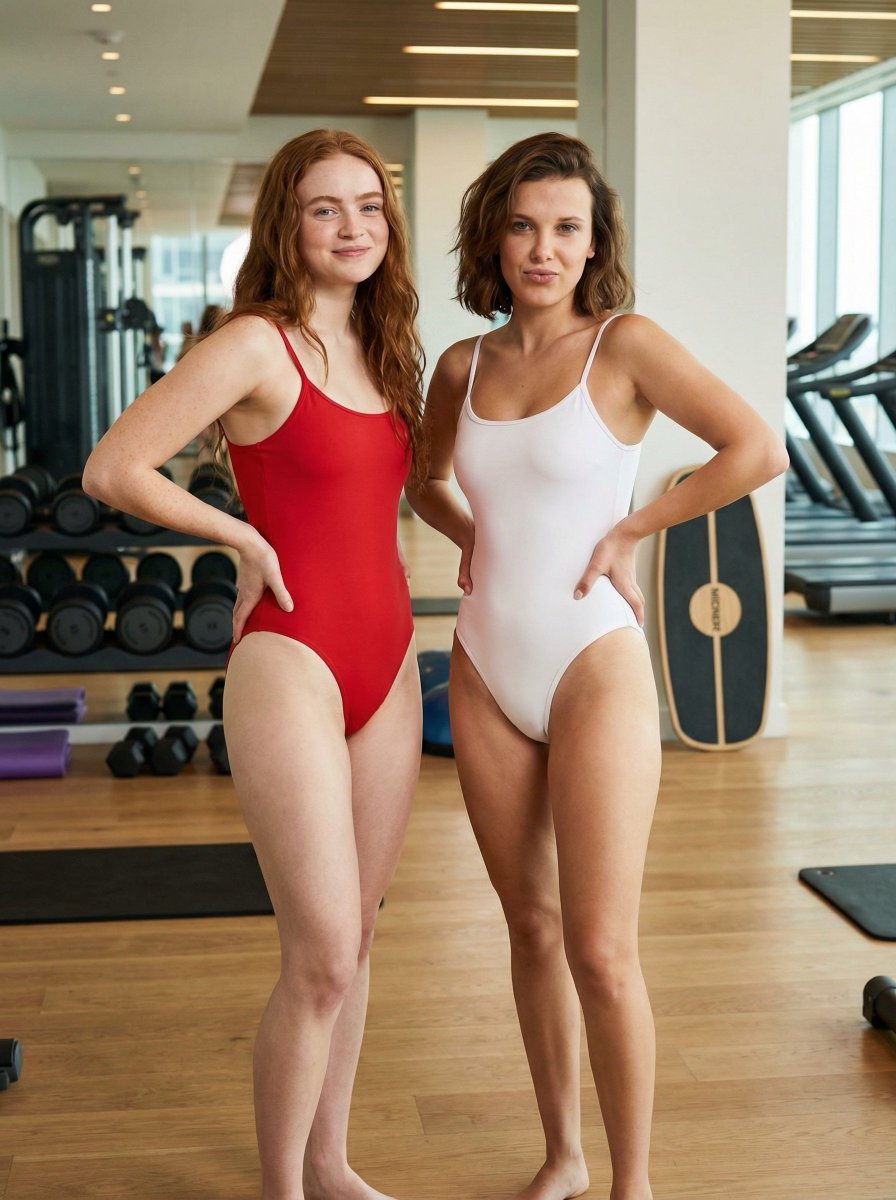
A structured prompt for generating an athletic, playful portrait of Millie Bobby Brown and Sadie Sink in matching one-piece swimsuits (red and white) inside a modern gym setting. It specifies their poses, expressions, and the gym equipment in the backgrou
An AI text to image generator turns a written prompt into a finished picture you can download—no Photoshop skills, no stock subscriptions, no waiting on a designer. Describe the subject, style, lighting, and composition; the text to image engine renders pixels that match your words. ToolFK ships multiple models including Flux, CodeView3, and FLUX.2 Dev so you can pick speed, detail, or experimental looks depending on the job.
This free AI image generator runs in the browser: type a prompt, choose a model and aspect ratio, and save PNG or JPG in seconds. Flux models excel at photoreal scenes and clean typography; CodeView3 suits stylized illustrations; FLUX.2 Dev offers a balance for iterative creative work. When you need motion next, send the result to our image to video tool or build a full scene with the text to video generator. Stuck on wording? Nano Prompts lists tested templates you can paste and tweak.
Yes. Guests have a daily generation limit; registered users receive more quota, and VIP plans add extra runs. Check the counter on the page before you start.
Use Flux for photoreal output and sharp detail. CodeView3 works well for stylized or illustrative looks. FLUX.2 Dev is a solid default when you want fast iterations without sacrificing too much quality.
Name the subject, art style, camera or lens feel, lighting, and background. Separate ideas with commas or short sentences. Avoid contradictory instructions in one prompt.
You are responsible for rights in your prompt and any trademarks or likenesses you describe. Review ToolFK terms and local laws before using images in paid campaigns.
Most jobs download as PNG or JPG depending on the option you pick. Resolution follows the aspect ratio and model tier selected on the page.
Generate a still here, then open the image to video tool with the same file to add motion. For scenes built purely from words, use text to video instead.
Last updated: July 1, 2026