
Slide Document Generation Feature
A user praises Nano Banana Pro's document creation feature, noting that it can instantly create beautiful slide documents by inputting information and pressing the 'Slide Document' button.
Sign in to automatically link generations from this browser to your account. You can close this page and check processing or completed results in the history below.
Regular members: 1 day · VIP members: 7 days · Expired records and files are automatically deleted.
A user praises Nano Banana Pro's document creation feature, noting that it can instantly create beautiful slide documents by inputting information and pressing the 'Slide Document' button.

A structured JSON prompt for generating an ultra-realistic, candid street photograph of a girl, requiring the use of a reference image for identity, face, and hairstyle. The prompt specifies a 3/4 walking angle during golden hour, with motion-blurred back

A detailed JSON prompt for generating a majestic wildlife portrait of a Bald Eagle perched on a moss-covered branch in a forest canopy under overcast conditions. The prompt emphasizes a shallow depth of field, moody natural light, and high detail on the e

A prompt for generating a dramatic, cinematic photo of a person crouching over a giant 3D relief map of a specified country, blending portrait photography with a world-builder aesthetic and requiring the man's clothing to match the regional style.
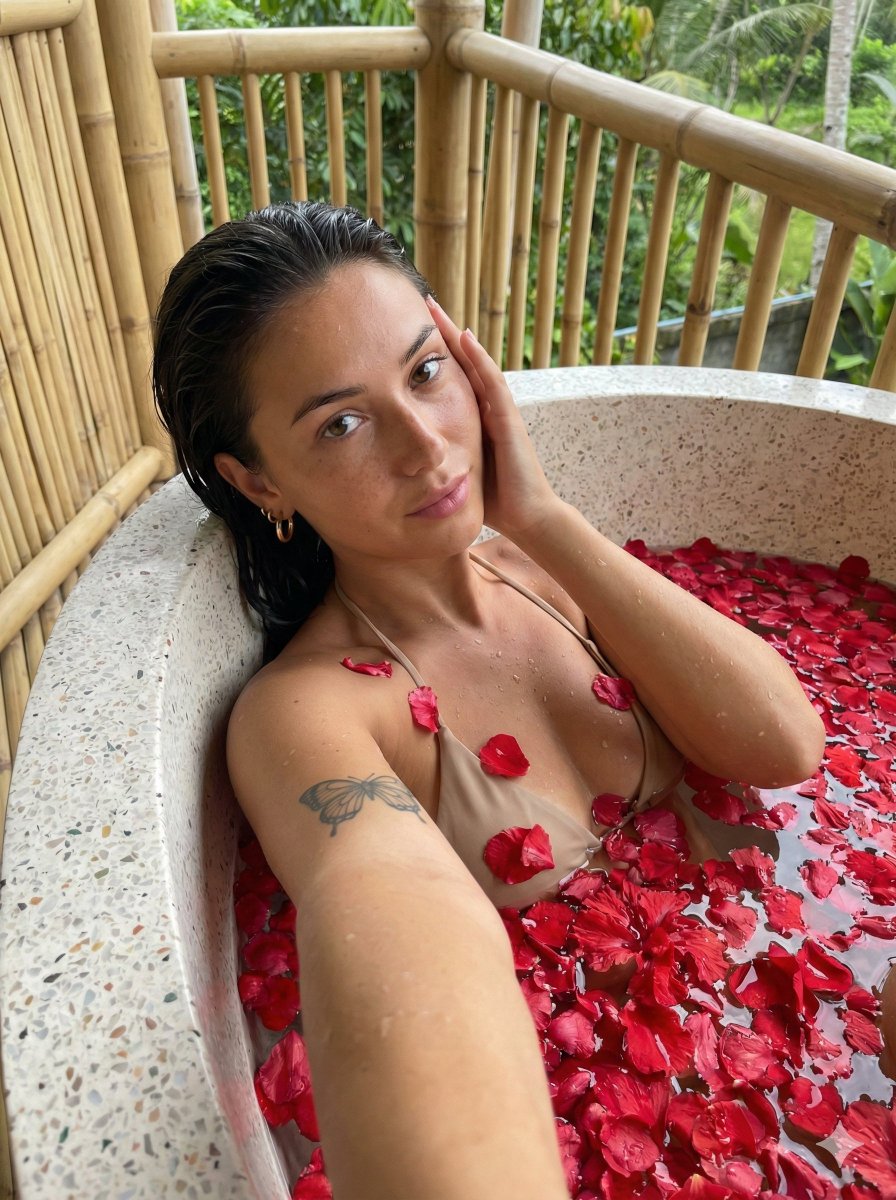
A complex, structured prompt designed to generate a hyper-realistic, social media-style travel selfie. It details the subject (young woman with a butterfly tattoo, wet hair, and freckles), the environment (terrazzo tub with red flower petals in a tropical
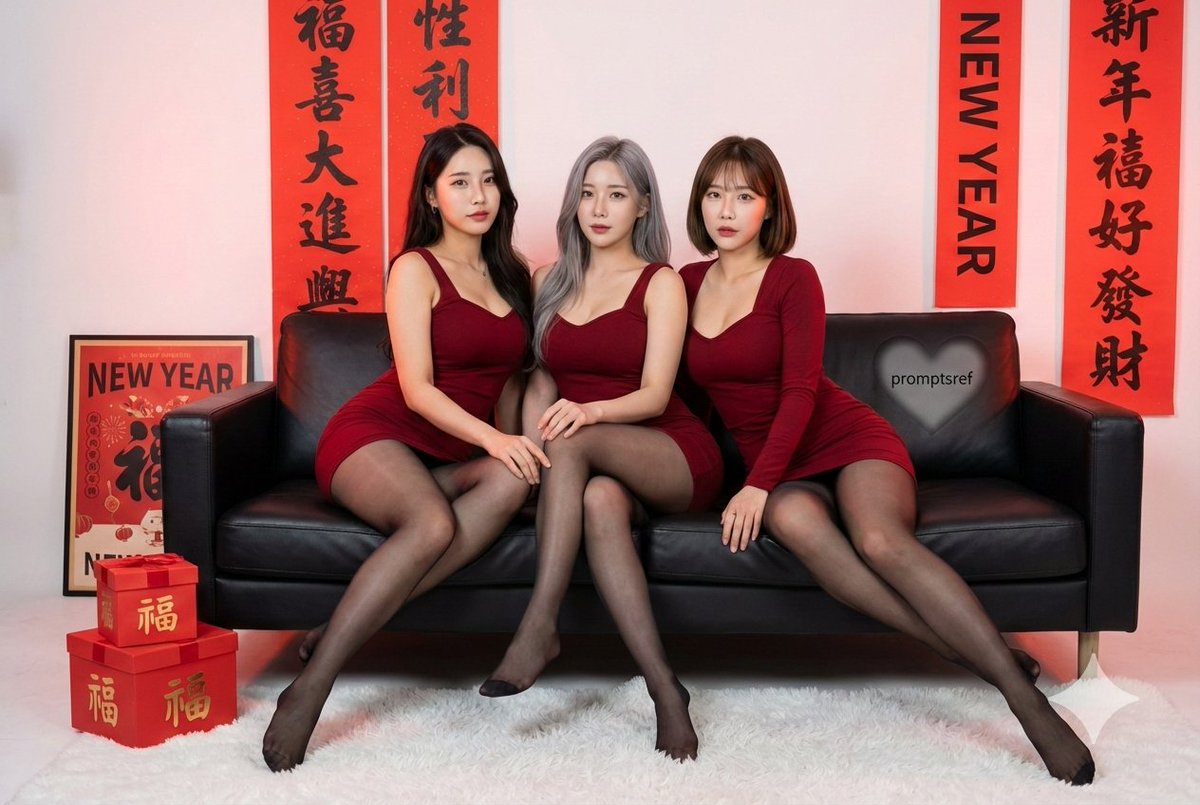
A structured prompt for generating a wide-angle, full-body studio photograph featuring three young East Asian women in matching red body-con dresses, sitting on a black leather couch. The scene is decorated for Lunar New Year with red banners and gift box
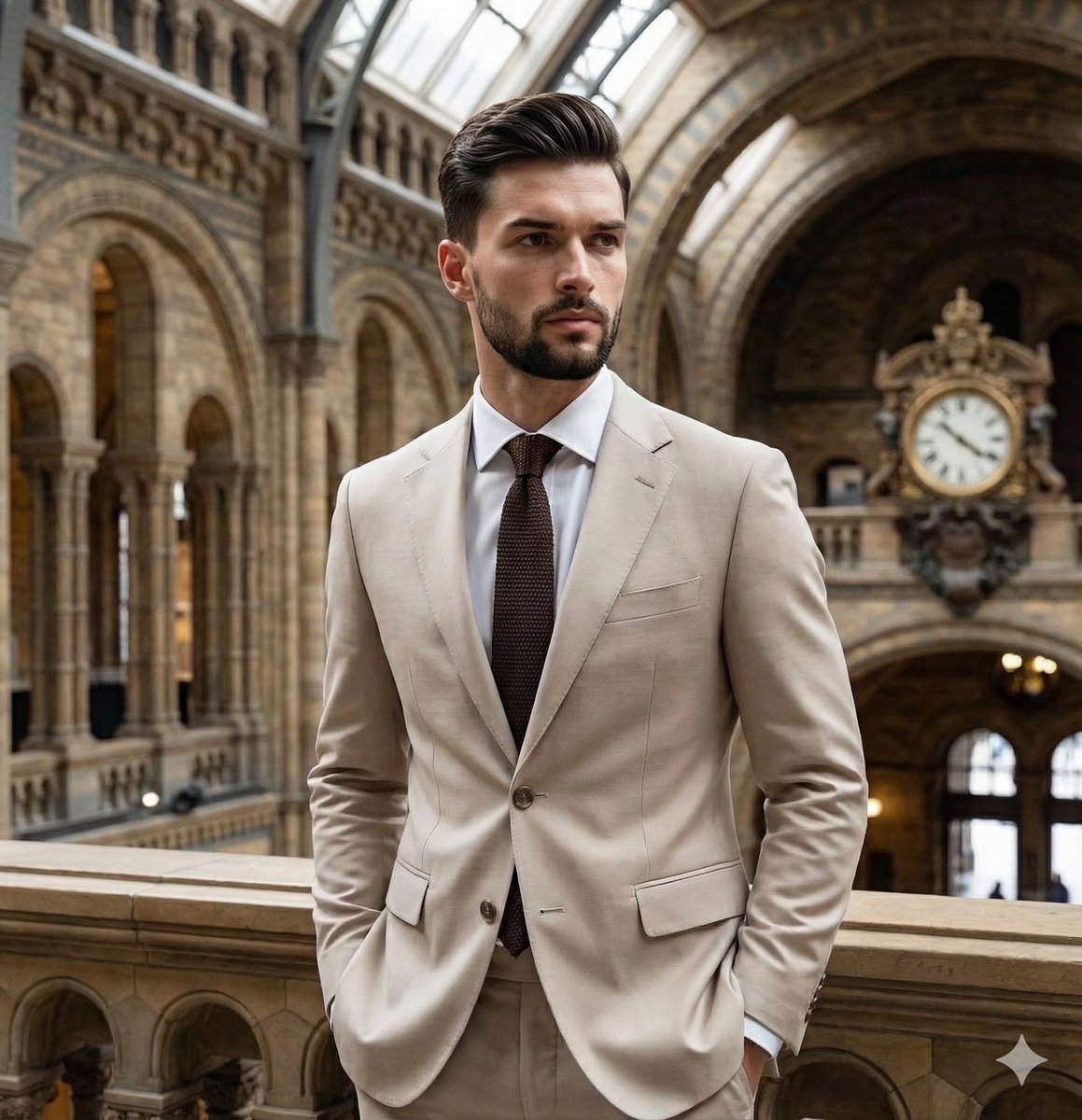
A detailed, structured prompt designed for generating a sophisticated editorial portrait photograph of a young man, emphasizing composition, color profile, and lighting within a grand architectural setting. The prompt specifies technical details like aspe
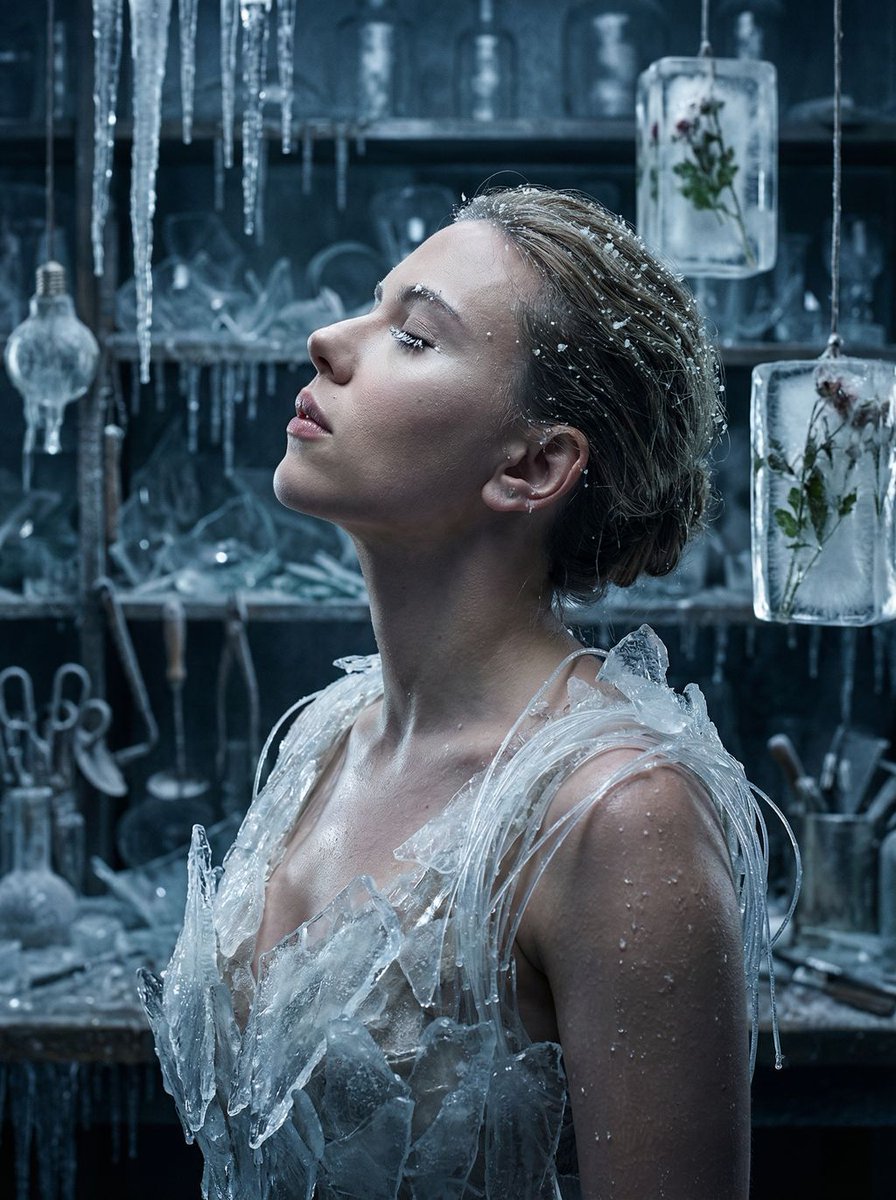
A highly complex and detailed JSON prompt for generating a cinematic surreal portrait titled 'Crystallized Melancholy'. It describes a protagonist in a cluttered 'Cryogenic Glass-Blower's Workshop', wearing a garment made of melting ice shards, with hyper
An AI text to image generator turns a written prompt into a finished picture you can download—no Photoshop skills, no stock subscriptions, no waiting on a designer. Describe the subject, style, lighting, and composition; the text to image engine renders pixels that match your words. ToolFK ships multiple models including Flux, CodeView3, and FLUX.2 Dev so you can pick speed, detail, or experimental looks depending on the job.
This free AI image generator runs in the browser: type a prompt, choose a model and aspect ratio, and save PNG or JPG in seconds. Flux models excel at photoreal scenes and clean typography; CodeView3 suits stylized illustrations; FLUX.2 Dev offers a balance for iterative creative work. When you need motion next, send the result to our image to video tool or build a full scene with the text to video generator. Stuck on wording? Nano Prompts lists tested templates you can paste and tweak.
Yes. Guests have a daily generation limit; registered users receive more quota, and VIP plans add extra runs. Check the counter on the page before you start.
Use Flux for photoreal output and sharp detail. CodeView3 works well for stylized or illustrative looks. FLUX.2 Dev is a solid default when you want fast iterations without sacrificing too much quality.
Name the subject, art style, camera or lens feel, lighting, and background. Separate ideas with commas or short sentences. Avoid contradictory instructions in one prompt.
You are responsible for rights in your prompt and any trademarks or likenesses you describe. Review ToolFK terms and local laws before using images in paid campaigns.
Most jobs download as PNG or JPG depending on the option you pick. Resolution follows the aspect ratio and model tier selected on the page.
Generate a still here, then open the image to video tool with the same file to add motion. For scenes built purely from words, use text to video instead.
Last updated: July 1, 2026