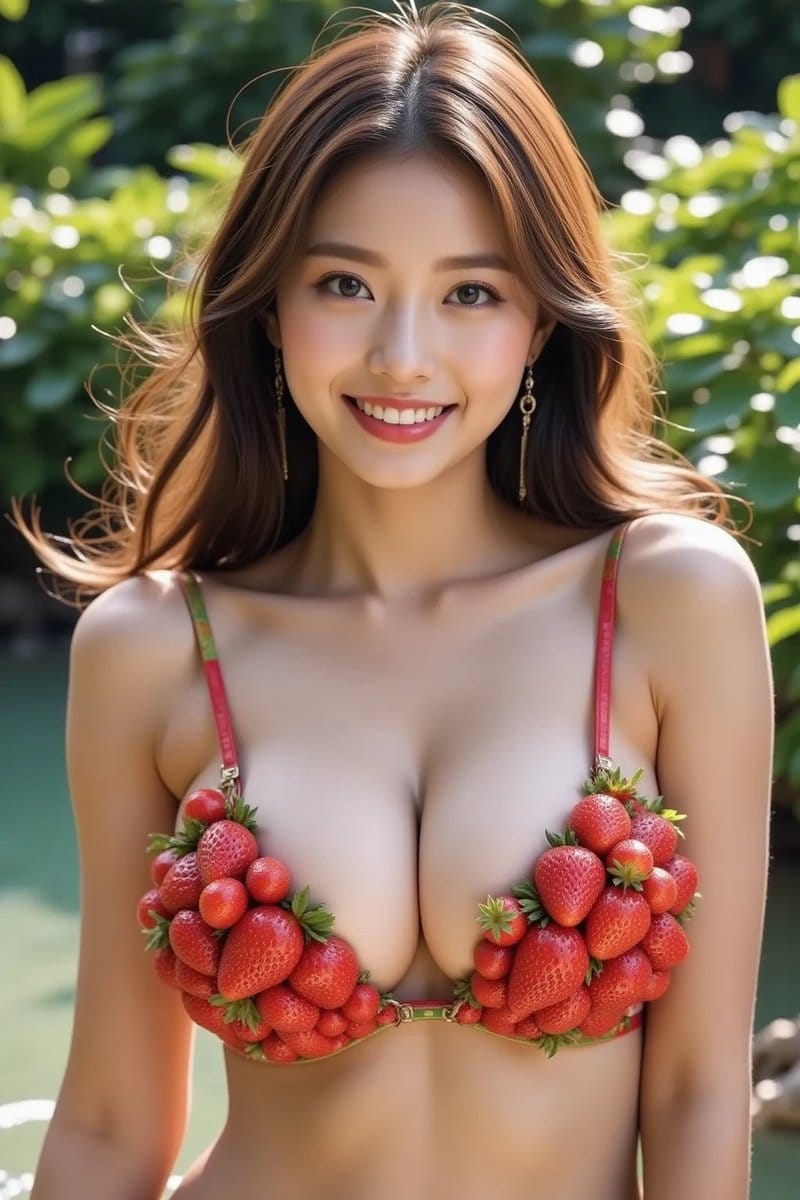
Fresh Strawberry Bikini Portrait
An image generation prompt focusing on creating a close-up portrait of a joyful woman wearing a bikini conceptually made of real, succulent strawberries, emphasizing high resolution and a fresh, playful aesthetic.
An image generation prompt focusing on creating a close-up portrait of a joyful woman wearing a bikini conceptually made of real, succulent strawberries, emphasizing high resolution and a fresh, playful aesthetic.

A structured prompt for generating a realistic mirror selfie of a young woman in a minimalist apartment, focusing heavily on anatomical details like a hyper-pronounced hourglass silhouette, specific tattoos, and realistic skin texture, using mobile photog

A prompt designed to generate an image with an early 2000s digital aesthetic, high contrast, and hard direct flash. The subject is a young woman in a charcoal grey bodysuit lying back on a vibrant orange pool table in a wood-paneled billiard room, emphasi

A creative prompt for Nano Banana Pro focusing on an impossible visual illusion: a single tree on a flat field at sunset where the shadow is darker than normal, but contains soft glowing patches shaped like leaves, suggesting the shadow stores sunlight.

This tweet discusses the optimal prompting strategy for achieving consistent, high-quality results using the Nano Banana Pro model, specifically advising against using 'x' grids due to confusion and low-resolution output. The recommended method involves g
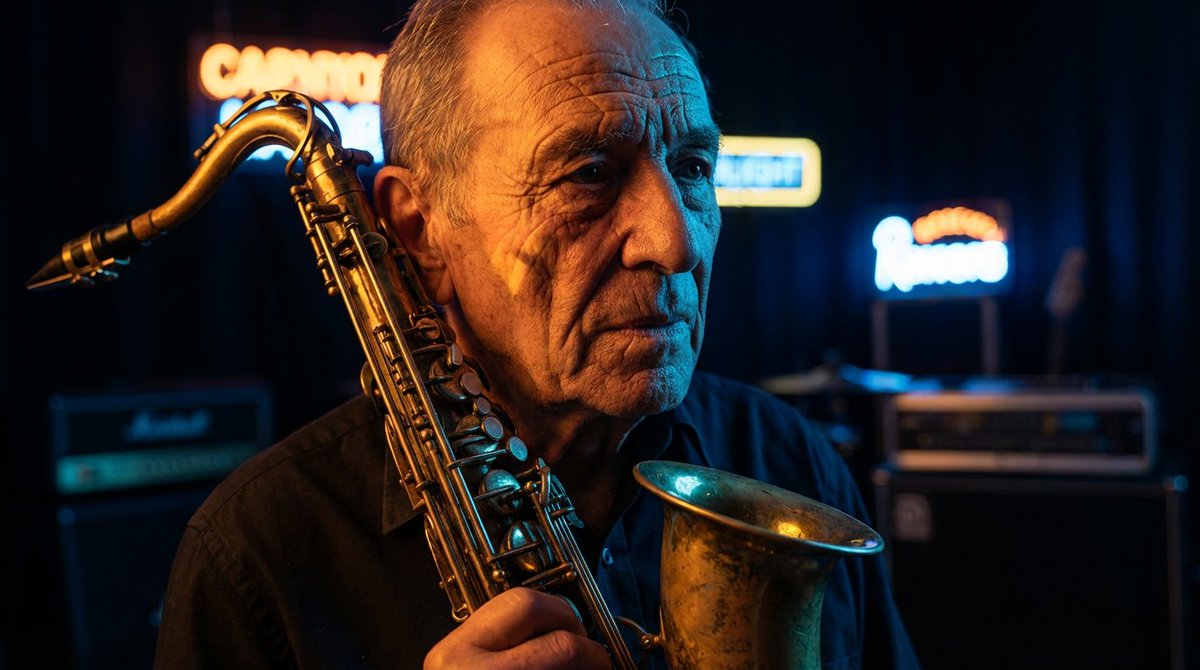
A master prompt template for generating high-contrast studio portraits illuminated by neon light, allowing customization of the subject, primary color, secondary color, and type of shadows.
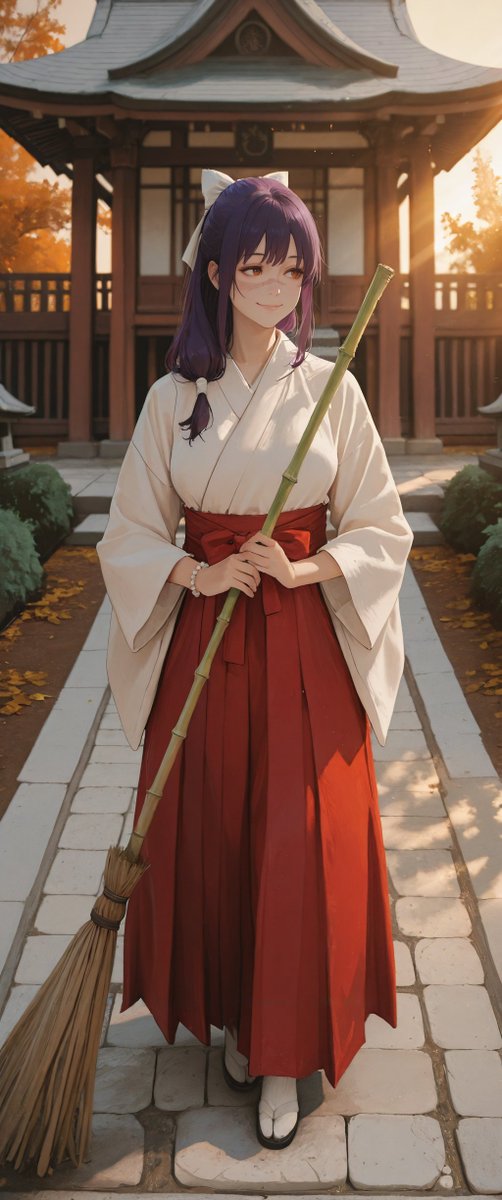
A Japanese prompt for generating a luxury travel magazine layout focused on an early autumn pilgrimage theme, with the title and description of the feature article displayed prominently in English across the entire screen.
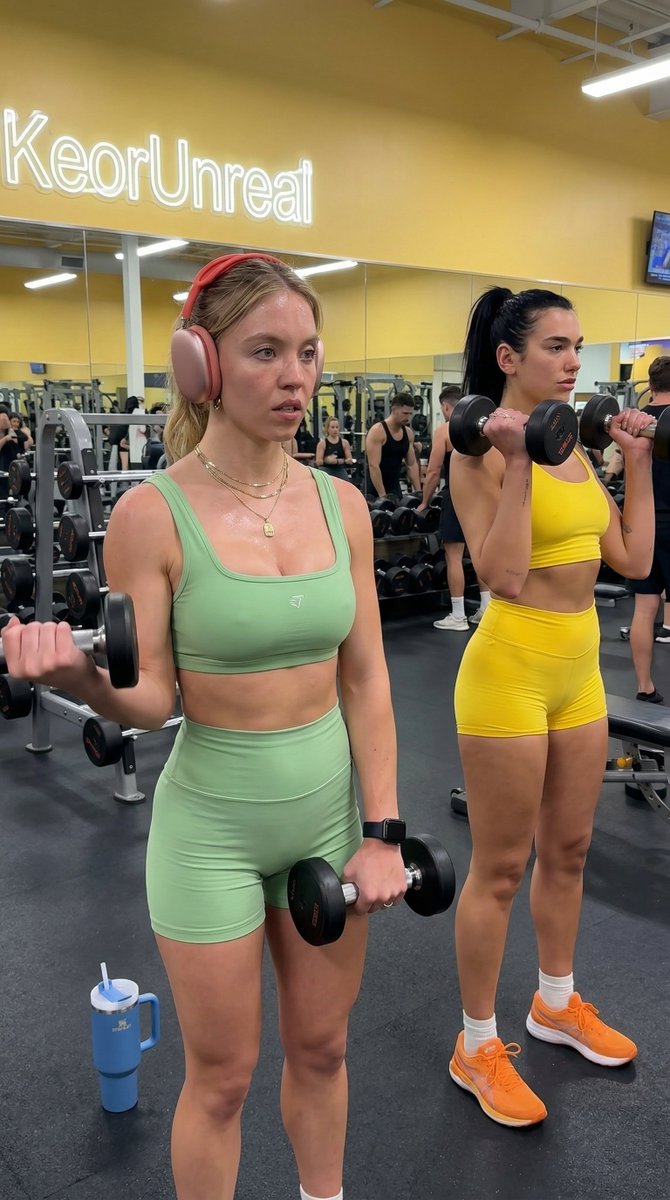
A detailed JSON prompt for generating an ultra-realistic, spontaneous 8K photograph of Scarlett Johansson and Megan Fox working out in a commercial gym. The prompt specifies their physiques, outfits (pink and orange workout sets), accessories (headphones,
An AI text to image generator turns a written prompt into a finished picture you can download—no Photoshop skills, no stock subscriptions, no waiting on a designer. Describe the subject, style, lighting, and composition; the text to image engine renders pixels that match your words. ToolFK ships multiple models including Flux, CodeView3, and FLUX.2 Dev so you can pick speed, detail, or experimental looks depending on the job.
This free AI image generator runs in the browser: type a prompt, choose a model and aspect ratio, and save PNG or JPG in seconds. Flux models excel at photoreal scenes and clean typography; CodeView3 suits stylized illustrations; FLUX.2 Dev offers a balance for iterative creative work. When you need motion next, send the result to our image to video tool or build a full scene with the text to video generator. Stuck on wording? Nano Prompts lists tested templates you can paste and tweak.
Yes. Guests have a daily generation limit; registered users receive more quota, and VIP plans add extra runs. Check the counter on the page before you start.
Use Flux for photoreal output and sharp detail. CodeView3 works well for stylized or illustrative looks. FLUX.2 Dev is a solid default when you want fast iterations without sacrificing too much quality.
Name the subject, art style, camera or lens feel, lighting, and background. Separate ideas with commas or short sentences. Avoid contradictory instructions in one prompt.
You are responsible for rights in your prompt and any trademarks or likenesses you describe. Review ToolFK terms and local laws before using images in paid campaigns.
Most jobs download as PNG or JPG depending on the option you pick. Resolution follows the aspect ratio and model tier selected on the page.
Generate a still here, then open the image to video tool with the same file to add motion. For scenes built purely from words, use text to video instead.
Last updated: July 1, 2026