
Vascular Effect Object Prompt
A short, descriptive prompt for generating an image featuring a 'Vascular Effect Object.' The specific object details are missing, making the prompt vague but suggesting a focus on biological or vein-like textures.
A short, descriptive prompt for generating an image featuring a 'Vascular Effect Object.' The specific object details are missing, making the prompt vague but suggesting a focus on biological or vein-like textures.

A structured JSON prompt for generating a realistic, candid full-body photo of a woman in a cluttered dressing room trailer, wearing a fitted black latex outfit. The prompt specifies a raw, unpolished aesthetic and is marked as SFW (Safe For Work).

A versatile prompt template designed to generate cinematic frames capturing pure joy, specifically focusing on a subject splashing in water with sunset backlight, freezing the water droplets mid-air. The prompt allows the user to insert their desired subj

A prompt used with Nano Banana Pro to quickly generate a New Year's greeting illustration featuring a girl and including her name.

A detailed prompt for generating an ultra-realistic studio portrait of a woman, requiring 100% accuracy to an uploaded reference image (THE_SUBJECT). It specifies a confident pose (arm raised behind head, hand on hip), attire (off-white lace crop top, dis

A prompt for generating a cinematic fantasy scene where a man kneels on ice, touching a cracked frozen mirror that reflects a Grinch-like creature, emphasizing cold blue tones, dramatic lighting, and a surreal atmosphere.

A structured prompt for transforming a photo into a bold vector art digital illustration. The focus is on preserving the subject's face and expression while applying a specific artistic style and aspect ratio.
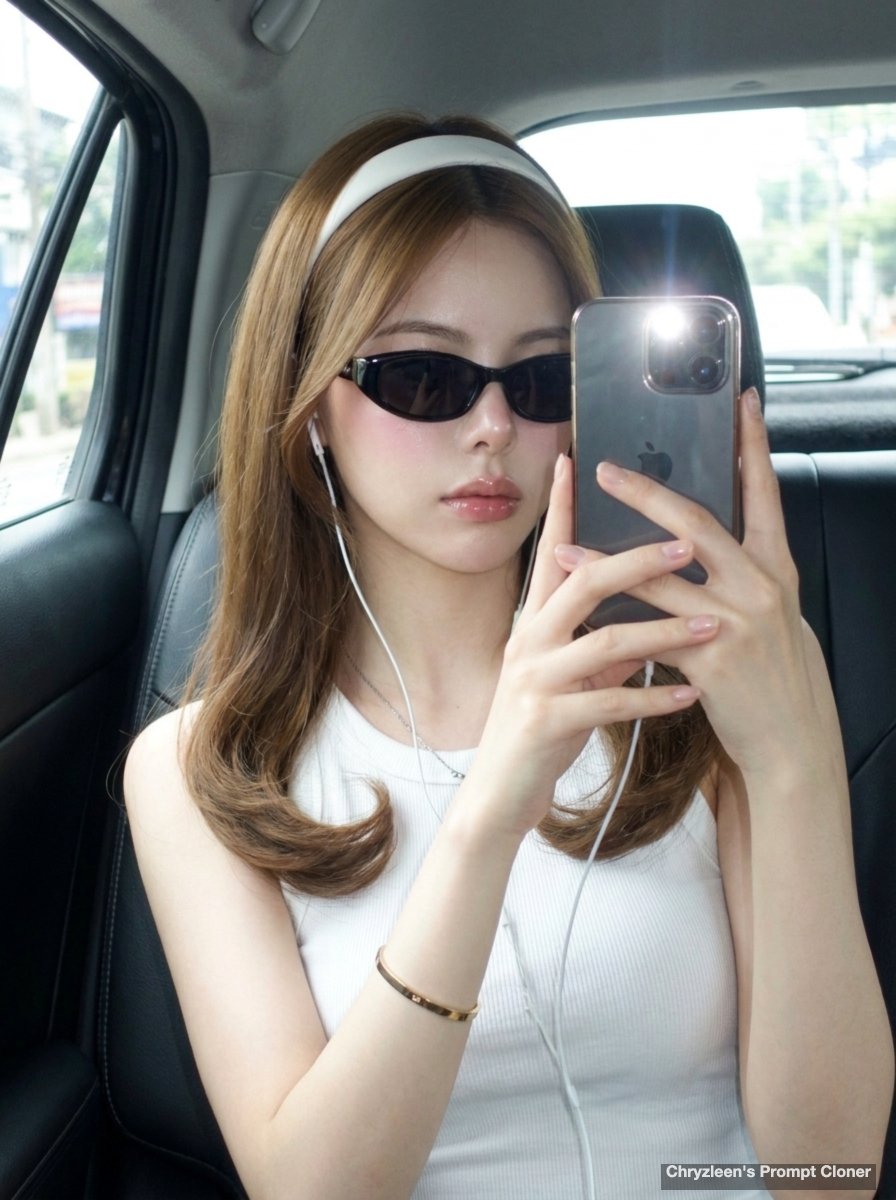
A prompt for a hyper-realistic car mirror selfie with a CCD camera aesthetic and specific Korean glass-skin makeup style.
An AI text to image generator turns a written prompt into a finished picture you can download—no Photoshop skills, no stock subscriptions, no waiting on a designer. Describe the subject, style, lighting, and composition; the text to image engine renders pixels that match your words. ToolFK ships multiple models including Flux, CodeView3, and FLUX.2 Dev so you can pick speed, detail, or experimental looks depending on the job.
This free AI image generator runs in the browser: type a prompt, choose a model and aspect ratio, and save PNG or JPG in seconds. Flux models excel at photoreal scenes and clean typography; CodeView3 suits stylized illustrations; FLUX.2 Dev offers a balance for iterative creative work. When you need motion next, send the result to our image to video tool or build a full scene with the text to video generator. Stuck on wording? Nano Prompts lists tested templates you can paste and tweak.
Yes. Guests have a daily generation limit; registered users receive more quota, and VIP plans add extra runs. Check the counter on the page before you start.
Use Flux for photoreal output and sharp detail. CodeView3 works well for stylized or illustrative looks. FLUX.2 Dev is a solid default when you want fast iterations without sacrificing too much quality.
Name the subject, art style, camera or lens feel, lighting, and background. Separate ideas with commas or short sentences. Avoid contradictory instructions in one prompt.
You are responsible for rights in your prompt and any trademarks or likenesses you describe. Review ToolFK terms and local laws before using images in paid campaigns.
Most jobs download as PNG or JPG depending on the option you pick. Resolution follows the aspect ratio and model tier selected on the page.
Generate a still here, then open the image to video tool with the same file to add motion. For scenes built purely from words, use text to video instead.
Last updated: July 1, 2026