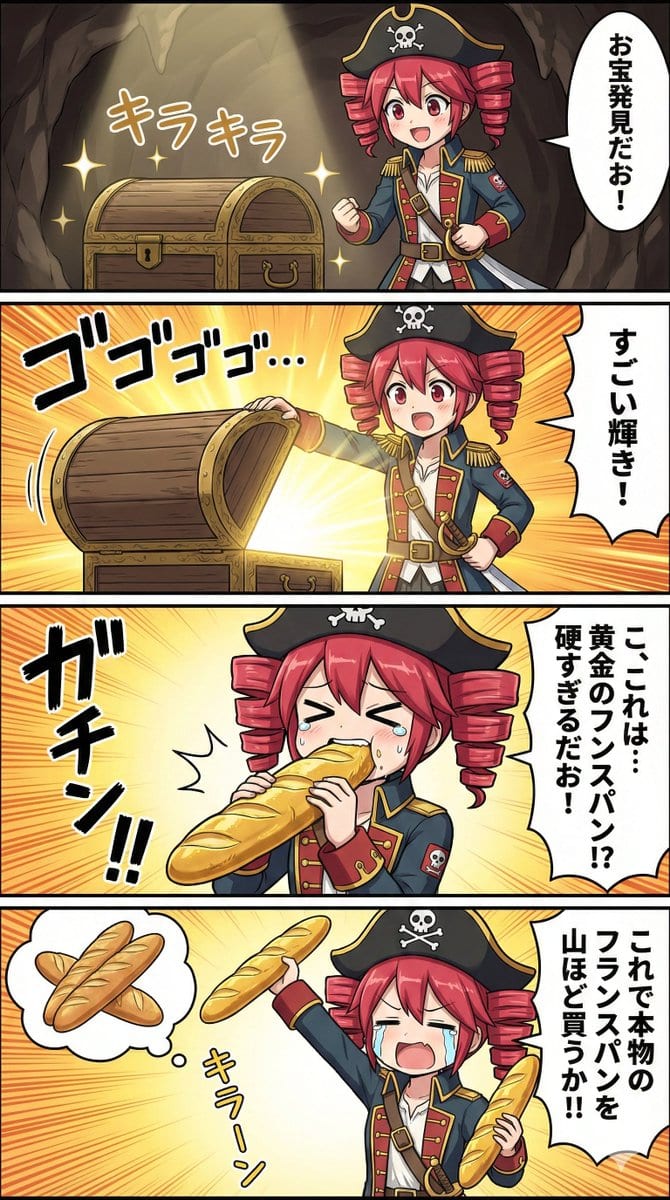
Nano Banana Pro Prompt for Teto Kasane in Pirate Attire
A prompt used during testing with Nano Banana Pro to generate an image of Teto Kasane dressed as a pirate, noting the resemblance to a certain captain character.
A prompt used during testing with Nano Banana Pro to generate an image of Teto Kasane dressed as a pirate, noting the resemblance to a certain captain character.

This is a detailed, structured prompt designed for high-fidelity image generation, specifically focusing on maintaining the identity of a subject from a reference image while placing them in a dramatic, high-fashion editorial setting on a luxury rooftop a

A highly specific prompt for generating a hyper-realistic latte art portrait where the reference person's face is fully formed in the milk foam of a cappuccino, emphasizing real micro-foam texture, a rustic Melbourne café setting, and sharp focus on the l

A detailed image generation prompt designed for the Gemini Nano Banana Pro model, focusing on creating an elegant poster aesthetic. It describes a silk ribbon unfurling diagonally, containing a miniature 3D bas-relief city carved within its folds, blendin

A JSON prompt for Gemini Nano Banana Pro generating an ultra-photorealistic selfie of a curvy Indian woman in a Y2K mall-inspired bedroom. The prompt details the subject's appearance (low-rise jeans, baby tee, butterfly clips) and the environment (Juicy C
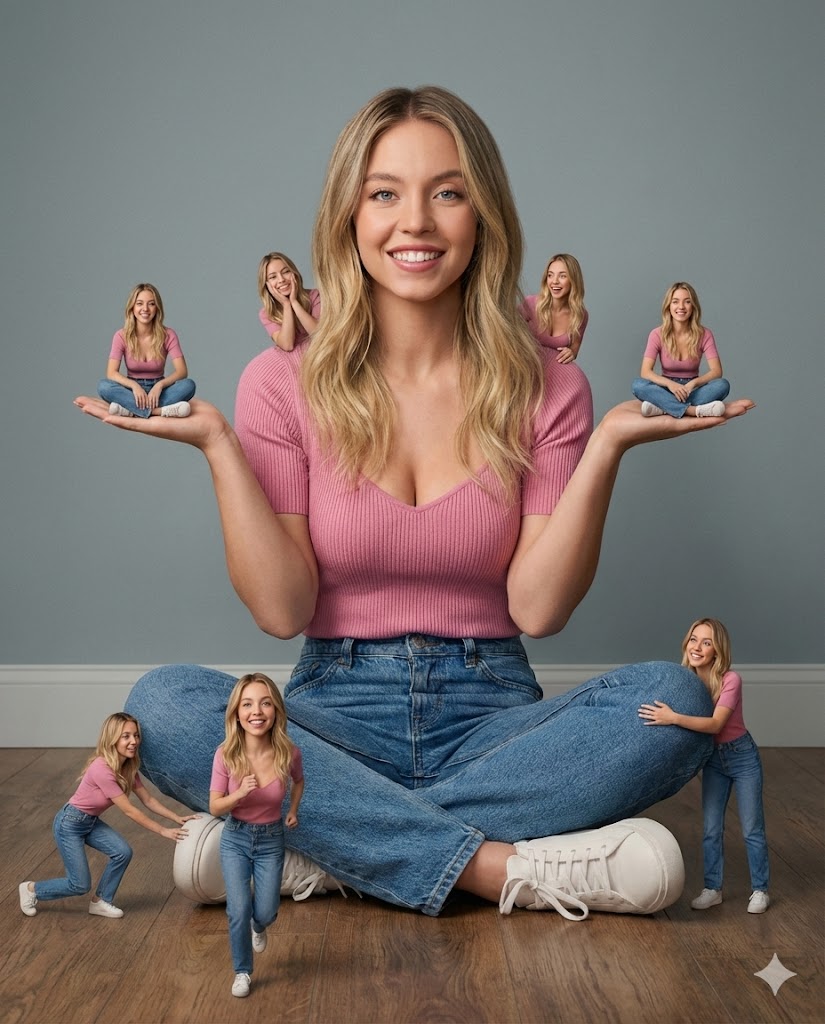
A complex photorealistic cinematic portrait prompt for Nano Banana Pro, requiring the model to replicate the composition and surreal concept of a reference image (image_1.png) but replace the main subject's face with the exact likeness of Sydney Sweeney f
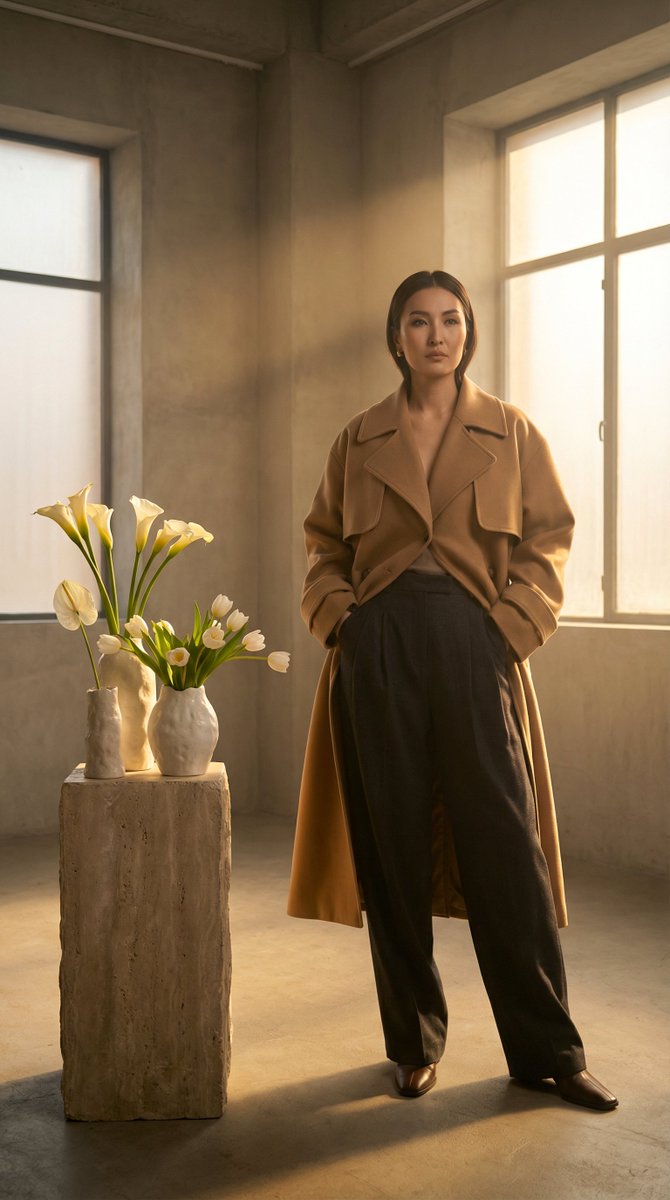
A structured JSON prompt for generating high-fashion editorial photography of a Kazakh model, specifying wardrobe (trench coat, wool trousers), setting (minimalist studio), decor (avant-garde tulips/lilies), and professional camera/lighting details (Golde
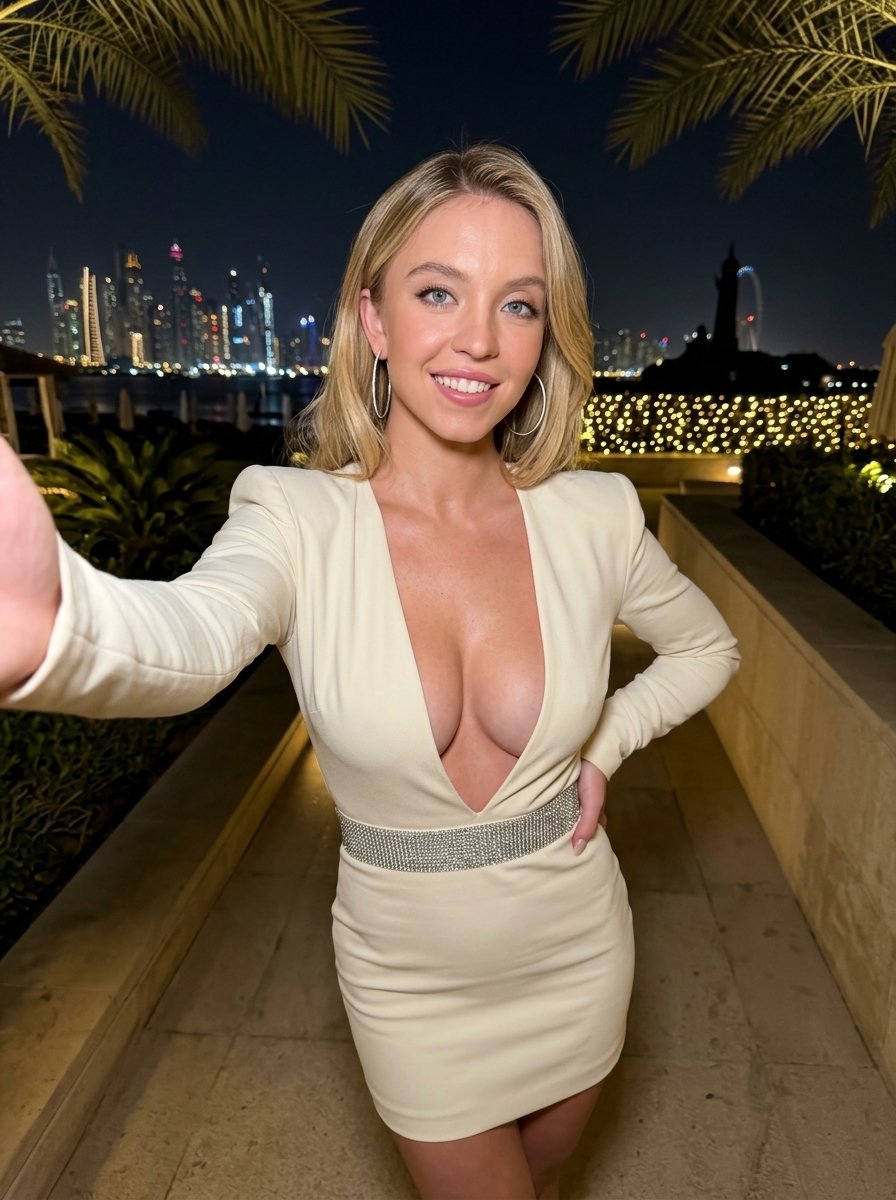
A highly detailed, structured prompt for generating a glamour selfie image of a slim, athletic woman (using a reference image). The prompt specifies attire (cream mini dress with plunging V-neck), setting (outdoor luxury terrace at night with city skyline
An AI text to image generator turns a written prompt into a finished picture you can download—no Photoshop skills, no stock subscriptions, no waiting on a designer. Describe the subject, style, lighting, and composition; the text to image engine renders pixels that match your words. ToolFK ships multiple models including Flux, CodeView3, and FLUX.2 Dev so you can pick speed, detail, or experimental looks depending on the job.
This free AI image generator runs in the browser: type a prompt, choose a model and aspect ratio, and save PNG or JPG in seconds. Flux models excel at photoreal scenes and clean typography; CodeView3 suits stylized illustrations; FLUX.2 Dev offers a balance for iterative creative work. When you need motion next, send the result to our image to video tool or build a full scene with the text to video generator. Stuck on wording? Nano Prompts lists tested templates you can paste and tweak.
Yes. Guests have a daily generation limit; registered users receive more quota, and VIP plans add extra runs. Check the counter on the page before you start.
Use Flux for photoreal output and sharp detail. CodeView3 works well for stylized or illustrative looks. FLUX.2 Dev is a solid default when you want fast iterations without sacrificing too much quality.
Name the subject, art style, camera or lens feel, lighting, and background. Separate ideas with commas or short sentences. Avoid contradictory instructions in one prompt.
You are responsible for rights in your prompt and any trademarks or likenesses you describe. Review ToolFK terms and local laws before using images in paid campaigns.
Most jobs download as PNG or JPG depending on the option you pick. Resolution follows the aspect ratio and model tier selected on the page.
Generate a still here, then open the image to video tool with the same file to add motion. For scenes built purely from words, use text to video instead.
Last updated: July 1, 2026
. Two miniatures stand on her upturned palms, two sit on her shoulders, one pushes at her right shoe, one runs in the foreground, and one hugs her left knee from behind, matching the poses in image_1.png perfectly. Soft, high-quality studio lighting creates realistic shadows. The background is a clean, gradient grey studio wall. 8k resolution, highly detailed textures.",
"aspect_ratio": "4:5",
"negative_prompt": "cartoon, 3d render, anime, chibi, painting, drawing, low quality, blurry, distorted face, bad anatomy, extra fingers, missing limbs, mismatched faces."
})