
Ruri and Chiikawa Scenario
A humorous and specific scenario prompt tested on Nano Banana Pro, involving a character named Ruri and a woman with a Chiikawa face.
A humorous and specific scenario prompt tested on Nano Banana Pro, involving a character named Ruri and a woman with a Chiikawa face.

A detailed lifestyle photography prompt for generating a medium shot portrait of a young woman in a cozy indoor setting during golden hour. The focus is on the subject's interaction with a small, delicate hanging doll ornament, emphasizing warm lighting,

A prompt for generating a realistic, cinematic photograph of a stylish man sitting on a vintage bench on a European cobblestone street during the evening. It emphasizes specific clothing (brown tailored coat, navy blue sweater), warm street lamp lighting,

A highly detailed prompt for an image-to-image transformation, instructing the model to convert an uploaded image into a 64K resolution, ultra-detailed cinematic portrait of a rebellious, punk-inspired woman. The prompt locks the face identity and specifi

A structured JSON prompt for generating a high-end editorial portrait of a woman seated in an elegant restaurant. The prompt focuses on strict identity preservation, detailed wardrobe (deep red strapless dress), warm tungsten lighting, and shallow depth o

A highly detailed JSON prompt for generating a full-body fashion editorial portrait of a glamorous woman at night outside a luxury European casino hotel, specifying intricate details about her appearance, outfit (black glitter mini dress, white fur coat),

A sophisticated system prompt designed for Nano Banana Pro to create high Click-Through Rate (CTR) thumbnails based on principles of cognitive science (neuroscience, psychology, behavioral economics). It instructs the AI to adopt the persona of an expert
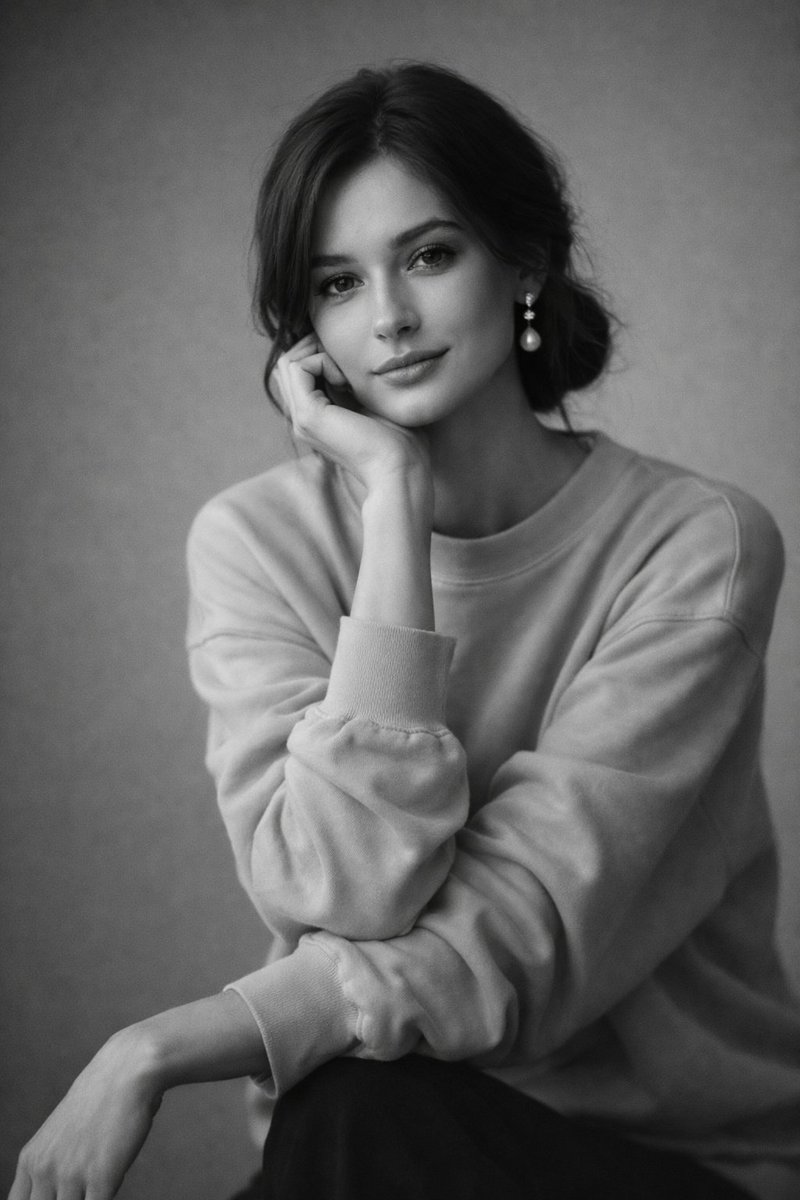
A prompt for a black and white editorial-style studio portrait featuring high contrast and sharp facial details.
An AI text to image generator turns a written prompt into a finished picture you can download—no Photoshop skills, no stock subscriptions, no waiting on a designer. Describe the subject, style, lighting, and composition; the text to image engine renders pixels that match your words. ToolFK ships multiple models including Flux, CodeView3, and FLUX.2 Dev so you can pick speed, detail, or experimental looks depending on the job.
This free AI image generator runs in the browser: type a prompt, choose a model and aspect ratio, and save PNG or JPG in seconds. Flux models excel at photoreal scenes and clean typography; CodeView3 suits stylized illustrations; FLUX.2 Dev offers a balance for iterative creative work. When you need motion next, send the result to our image to video tool or build a full scene with the text to video generator. Stuck on wording? Nano Prompts lists tested templates you can paste and tweak.
Yes. Guests have a daily generation limit; registered users receive more quota, and VIP plans add extra runs. Check the counter on the page before you start.
Use Flux for photoreal output and sharp detail. CodeView3 works well for stylized or illustrative looks. FLUX.2 Dev is a solid default when you want fast iterations without sacrificing too much quality.
Name the subject, art style, camera or lens feel, lighting, and background. Separate ideas with commas or short sentences. Avoid contradictory instructions in one prompt.
You are responsible for rights in your prompt and any trademarks or likenesses you describe. Review ToolFK terms and local laws before using images in paid campaigns.
Most jobs download as PNG or JPG depending on the option you pick. Resolution follows the aspect ratio and model tier selected on the page.
Generate a still here, then open the image to video tool with the same file to add motion. For scenes built purely from words, use text to video instead.
Last updated: July 1, 2026